Testing Stable Diffusion with ncnn framework in Termux on Android
From the Github repository Tencent/ncnn:
ncnn is a high-performance neural network inference computing framework optimized for mobile platforms. ncnn is deeply considerate about deployment and uses on mobile phones from the beginning of design. ncnn does not have third party dependencies.
Another very good thing is that the ncnn framework supports GPU acceleration via Vulkan API. ncnn was added to the official repository of Termux (PR #15976) and can be easily installed like other packages.
There is an implementation of Stable Diffusion with ncnn framework by EdVince/Stable-Diffusion-NCNN. I’m going to use the fork of that repository by fengwang/Stable-Diffusion-NCNN to test the image generation capability.
The device (rate my setup) to be used is my ZTE nubia Red Magic 6R (Snapdragon 888 chipset with 8GB RAM). Below is the workflow:
1. Install necessary packages
apt install clang curl git glslang libncnn pkg-config -y
2. Clone the repo
git clone https://github.com/fengwang/Stable-Diffusion-NCNN
cd Stable-Diffusion-NCNN
3. Download and extract the model
curl https://github.com/fengwang/Stable-Diffusion-NCNN/releases/download/release/assets.20221204.tar.zst --output assets.20221204.tar.zst
tar --use-compress-program=unzstd -xvf assets.20221204.tar.zst
At this point you should have a sub-folder named assets with these files:
assets
├── AutoencoderKL-fp16.bin
├── AutoencoderKL-fp16.param
├── FrozenCLIPEmbedder-fp16.bin
├── FrozenCLIPEmbedder-fp16.param
├── log_sigmas.bin
├── RealESRGAN_x4plus_anime_6B.fp32-sim-sim-opt.bin
├── RealESRGAN_x4plus_anime_6B.fp32-sim-sim-opt.param
├── UNetModel-fp16.bin
├── UNetModel-fp16.param
└── vocab.txt
4. Compile the code
g++ -o test test.cpp -funsafe-math-optimizations -Ofast -flto=auto -pipe -march=native -std=c++20 -Wall -Wextra `pkg-config --cflags --libs ncnn` -lstdc++ -pthread -Wl,--gc-sections -flto -lvulkan -lglslang -lSPIRV -fopenmp
By default the original resolution of the generated image will be 512×512 then it will be upscaled 4x to 2048×2048 using xinntao/Real-ESRGAN.
For my phone with limited RAM amount, I have to modify the file stable_diffusion.hpp to disable upscaling (replacing from line #825 to #833 with below code):
//x_samples_ddim = esr4x( x_samples_ddim );
std::cout << "----------------[save]--------------------" << std::endl;
{
    std::vector<std::uint8_t> buffer;
    buffer.resize( 512 * 512 * 3 );
    x_samples_ddim.to_pixels( buffer.data(), ncnn::Mat::PIXEL_RGB );
    save_png( buffer.data(), 512, 512, 0, output_png_path.c_str() );
}
5. Run the code
./text
Here is one sample result:

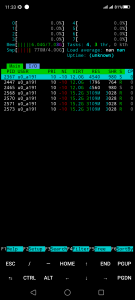
My phone took around 13 minutes to generate a image (and of course it was screaming a lot with the heat also). I consider this as very good, as the phone was able to load the model and generate a 512×512 image, while still spared some little RAM for other apps to not get killed.

Unfortunately at the moment there is no easy way to use different models with ncnn according to this (That’s why I put “Testing” in the title of the post). Hope that in the future there will be someone who can figure this out.

Related Posts



Subscribe
Login
0 Comments
Oldest